Welcome to Whizzyinvent — your Morse code translation assistant
Convert text to Morse code and back again, play audio beeps, copy results, and tune dot/dash symbols, speed, frequency, and waveform. Works smoothly on desktop and mobile.
How to use
1
Type your text
Enter text in the text box.
2
Auto-translate
Morse code appears in the Morse box. Unrecognized characters become “#”.
3
Play audio
Click the speaker icon to hear your Morse beeps.
4
Copy
Click the clipboard icon to copy Morse code anywhere.
5
Download audio
Use the download icon to save Morse audio (if available).
Why use Whizzyinvent?
1
Free and in-browser
No downloads or sign-ups required.
2
Lightweight and fast
Works smoothly on desktop and mobile.
3
Privacy-first
Your creations belong to you. We don’t store or share your data.
4
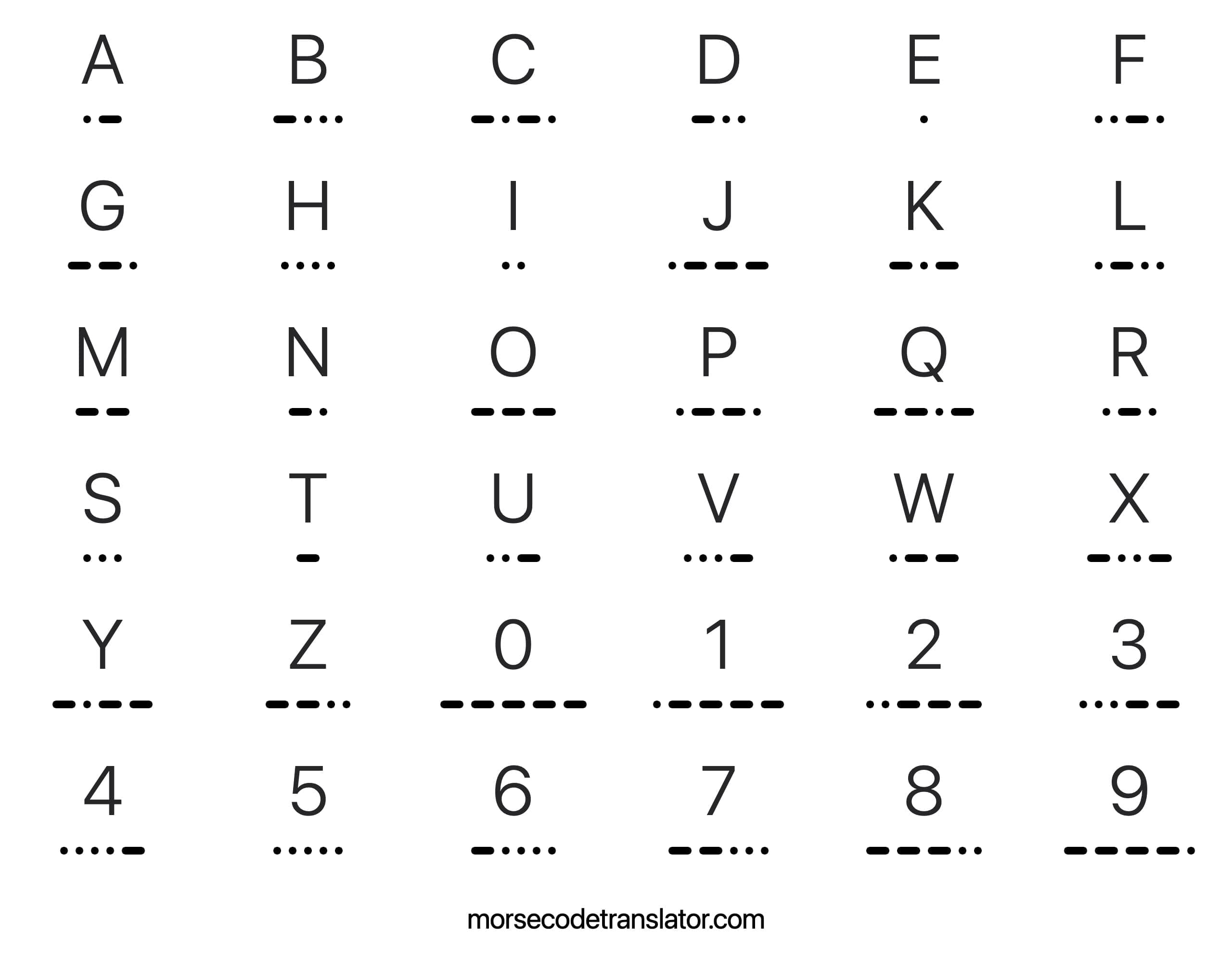
Learn common Morse
Explore common words, phrases, and letters like SOS or “I love you”.
5
Decode Easter eggs
Crack hidden Morse messages in games or movies.
FAQ
What is Whizzyinvent?
Morse Code Translator (formerly Morse Decoder) lets anyone translate text to Morse code or convert Morse
back to text. Type text into the input to convert to Morse, or type Morse in the output box to start
decoding.
How do I use Whizzyinvent?
Follow the steps below to convert Morse to text or vice versa. To tweak options, click the gear-like
settings on the left: adjust frequency, WPM (words per minute), dot/dash characters, and spacing rules
(letters separated by spaces, words by a slash by default).
↑
Text
Auto-converts to Morse below
Characters: 0
Morse
Auto-decodes to text above
Characters: 0